
Download Supermarket Swap – grocery shopping, meal planning, additive-free, preservative-free, shopping list, recipe ideas, supermarket specials, Australia
Overview
Supermarket Swap is a desktop application designed to streamline the grocery shopping process for users in Australia. The software aims to simplify meal planning and ingredient selection by providing access to detailed information on additives and preservatives found in supermarket products. Developed by Supermarket Swap, the tool supports users in making informed purchasing decisions, particularly those seeking additive-free or preservative-free options. It is intended for consumers who prioritize ingredient transparency and wish to reduce exposure to artificial food additives.
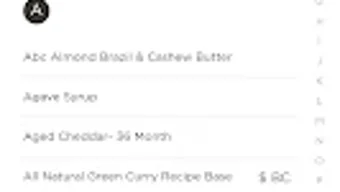
The app integrates a curated catalogue of products from Australia’s major supermarkets, offering users a centralized platform to explore and compare items based on their ingredient profiles. This functionality is especially useful for individuals managing dietary restrictions or health-conscious shoppers. The software also supports the creation and management of personalized shopping lists, enabling users to track essential items and avoid repeated trips to the store. With access to over 200 recipes and the ability to filter by dietary needs, Supermarket Swap enhances meal planning efficiency. Additionally, users can receive weekly specials from Woolworths and Coles directly within the app.
While the software is described as a desktop application, specific details about its interface, installation process, or system compatibility were not provided. The developer did not disclose further information about the team behind the project or its development history. Real-world usage scenarios include preparing weekly meal plans, identifying safe product alternatives, and contributing to a community-driven database of additive-free finds. The app is positioned as a practical tool for modern households seeking greater control over their grocery choices.
Key Features & Capabilities
- Comprehensive Additive & Preservative Database – The app includes detailed information on over 300 additives and preservatives, allowing users to identify and avoid specific ingredients in their food products.
- Additive-Free Product Catalogue – A curated list of grocery items available from major Australian supermarkets that are free from additives and preservatives, enabling informed shopping decisions.
- Personalized Shopping List Management – Users can create, edit, and store custom shopping lists, with the option to share them with others for collaborative grocery planning.
- Recipe Library with Dietary Filters – Over 200 recipes are available, filterable by dietary requirements such as gluten-free, dairy-free, or vegan, with brand recommendations provided for ingredient sourcing.
- Meal Planning Integration – Users can store personal meals, link external recipe sources, or use built-in recipes to generate and maintain a weekly meal plan.
- Weekly Supermarket Specials – Real-time access to promotional offers from Woolworths and Coles, delivered directly through the app to help users save on groceries.
- Community Contribution Feature – Users can submit new additive-free products discovered during shopping trips, contributing to an evolving database of safe and healthy options.
These features collectively support a seamless grocery shopping experience by combining ingredient transparency, recipe guidance, and real-time pricing data. The integration of user-generated content fosters community engagement and ensures the database remains current. For example, a user planning a gluten-free dinner can search for recipes, identify suitable ingredients from the additive-free catalogue, and add them to a shared shopping list. The inclusion of supermarket promotions helps optimize budgeting and purchasing decisions. The app’s design encourages repeat usage through habit-forming workflows centered around meal prep and list management.
User Interface, Workflow & Performance
The user interface of Supermarket Swap is designed with simplicity and functionality in mind, aiming to provide a clean and intuitive experience for managing grocery-related tasks. Navigation appears to be structured around core modules: recipe browsing, shopping list creation, ingredient database access, and special offers. The workflow emphasizes ease of use, allowing users to transition smoothly between meal planning, list building, and product research.
Based on the described functionality, the app likely employs a tabbed or menu-driven layout to organize features, minimizing the need for complex navigation. The ability to filter recipes by dietary needs and link external sources suggests a flexible, user-centric design. However, specific details about the UI layout, color scheme, or interaction patterns were not provided. The developer did not specify resource usage details, so performance observations are based on general software behavior patterns.
Stability and responsiveness are expected to align with standard mobile application standards, though exact behavior under varying conditions remains unspecified. The app may operate efficiently on devices with moderate processing power and memory, but precise CPU or RAM consumption was not disclosed. Users are advised to monitor performance during extended use, particularly when managing large shopping lists or accessing multiple recipe sources.
Compatibility & System Requirements
Supermarket Swap is designed for use on Android devices, as indicated by the provided operating system information. The software is available in version 1.0.0 and has a file size of 20MB, suggesting a lightweight installation. The developer did not specify exact system requirements, including minimum RAM, processor speed, or Android version compatibility.
Platform compatibility information is limited to the Android platform. No details were provided about support for other operating systems such as iOS, Windows, or macOS. Installation size is clearly stated at 20MB, which indicates a compact footprint suitable for devices with limited storage. The developer did not include information about hardware requirements or background processes, so users should consider general device capabilities when assessing suitability.
Given that the app is described as a desktop application despite being listed for Android, there may be a discrepancy in platform classification. The developer did not clarify whether a desktop version exists or if the software is exclusively mobile. Users should verify the intended platform before downloading.
Pros and Cons
Pros
- Free to download and use, making it accessible to a broad audience.
- Extensive database of over 300 additives and preservatives with detailed descriptions.
- Curated catalogue of additive-free and preservative-free products from major Australian supermarkets.
- Supports meal planning with over 200 recipes and dietary filters.
- Integrated shopping list with sharing functionality for collaborative use.
- Direct access to weekly specials from Woolworths and Coles.
- Community-driven feature for submitting new additive-free finds.
Cons
- Only available on Android; no information on desktop or iOS versions.
- Exact system requirements and performance data were not provided.
- Limited to Australian supermarkets, which may restrict usefulness for international users.
- App is described as a desktop application but listed for Android, creating potential confusion.
- No details on update frequency or long-term maintenance plans.
FAQ Section
Is Supermarket Swap available for Windows or Mac?
The provided information lists the operating system as Android. No details were given about availability on Windows, macOS, or other desktop platforms.
Is the app safe to use and secure?
Supermarket Swap is described as a free tool for grocery shopping and meal planning. While no security vulnerabilities were mentioned, the developer did not provide specific details about data privacy, encryption, or third-party access.
How often are updates released?
The current version is 1.0.0. The release date was May 15, 2024. No information was provided about update frequency or release schedule.
What type of license does Supermarket Swap use?
The app is listed as free to download and use. No licensing details were provided beyond its free status.
Can I use Supermarket Swap offline?
Details about offline functionality were not specified. Users should check the app’s settings or documentation to determine whether features like shopping lists and recipes are accessible without an internet connection.
Final Thoughts + CTA
Supermarket Swap presents a focused and practical solution for Australian consumers seeking greater transparency in their grocery shopping. Its strengths lie in its detailed additive and preservative database, curated product catalogue, and integration of recipe planning with real-time supermarket offers. The ability to contribute to a community-driven database adds a unique value proposition, fostering user engagement and continuous improvement of the tool’s content.
While the lack of desktop support and unclear system requirements may limit its reach, the app’s core features are well-aligned with the needs of health-conscious shoppers and meal planners. The free model enhances accessibility, and the emphasis on additive-free options reflects growing consumer demand for cleaner food choices.
For users in Australia who prioritize ingredient safety and meal planning efficiency, Supermarket Swap offers a compelling digital assistant. Despite some ambiguities around platform classification and technical specs, the app delivers tangible benefits in daily grocery management.
Download Supermarket Swap now







